
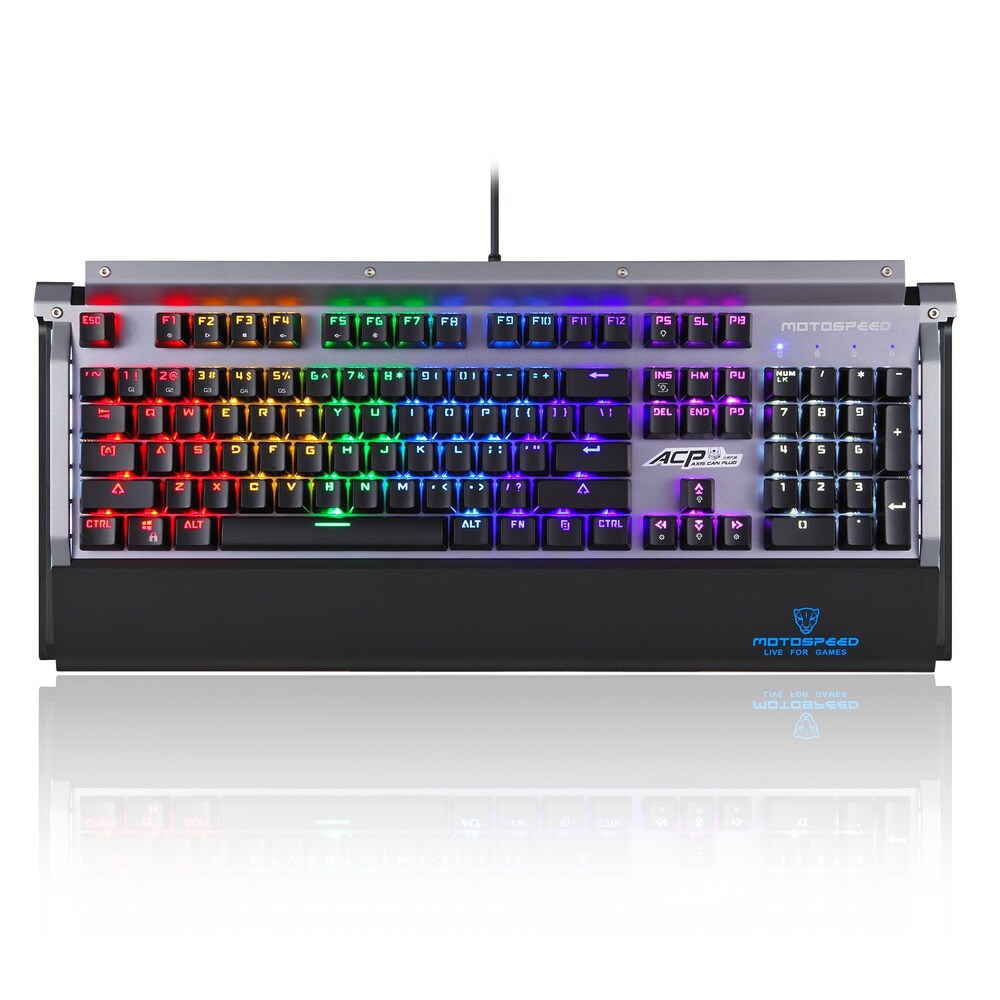


Full RGB Lighting
NEW
BESTSELLER
OFFICE
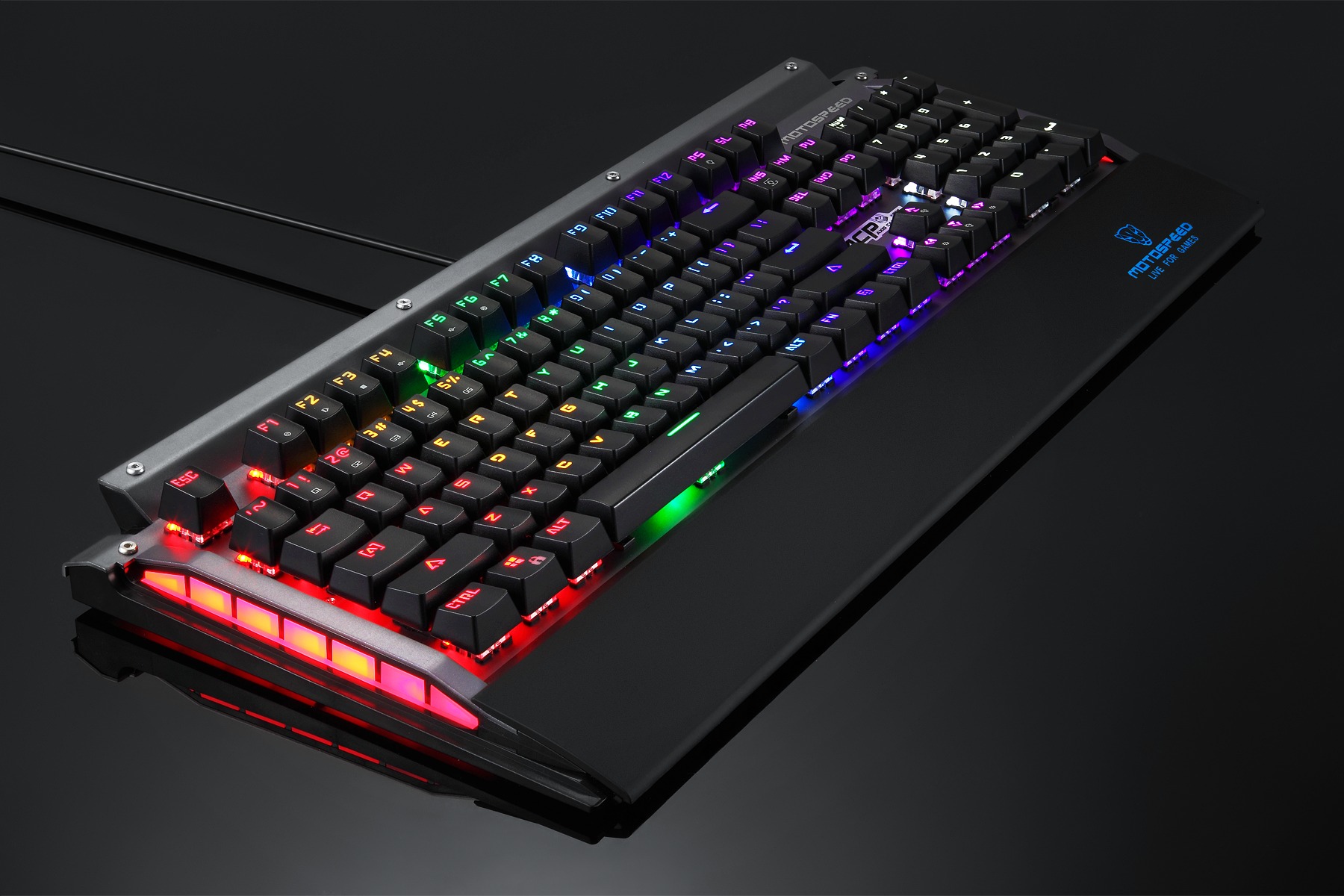
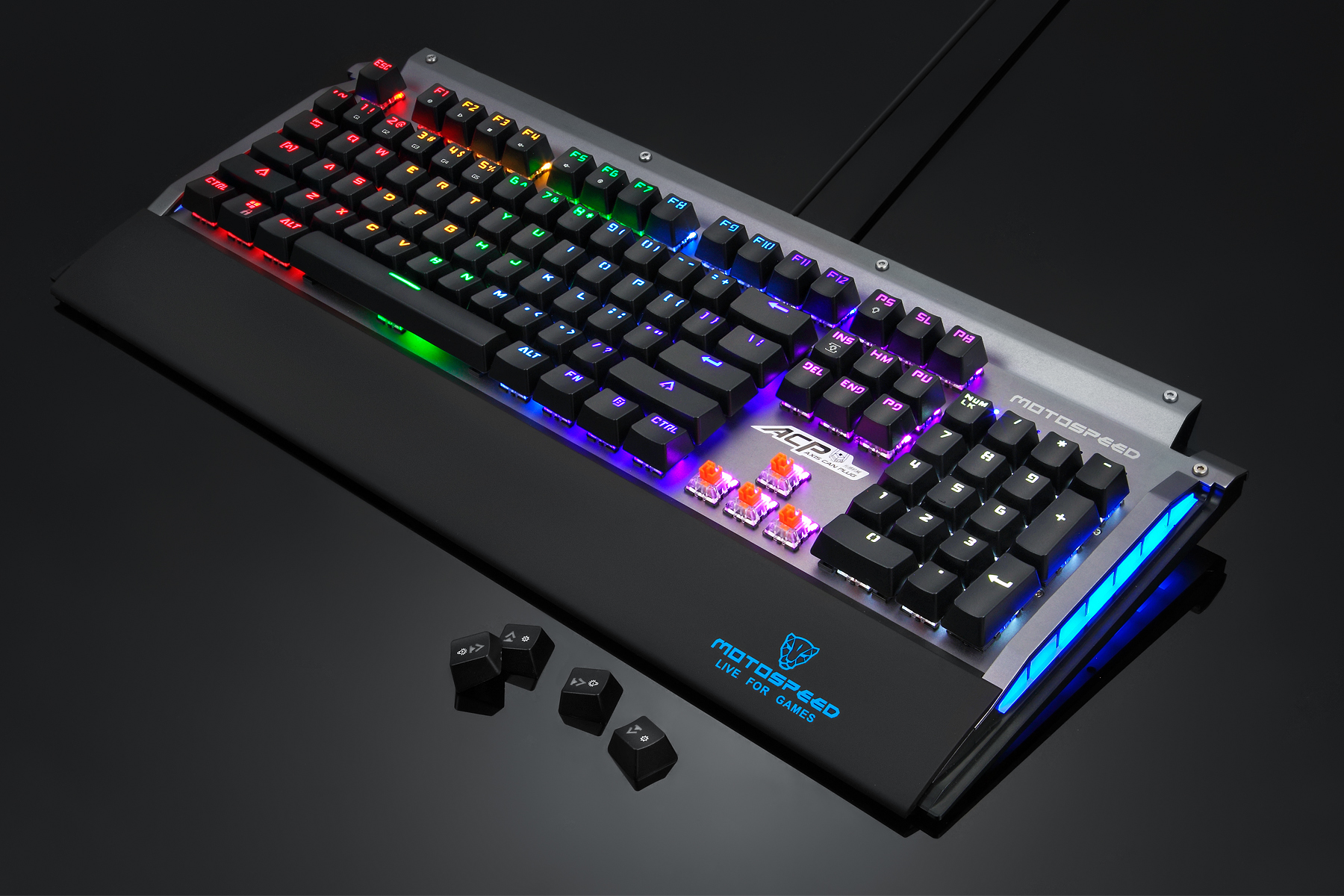
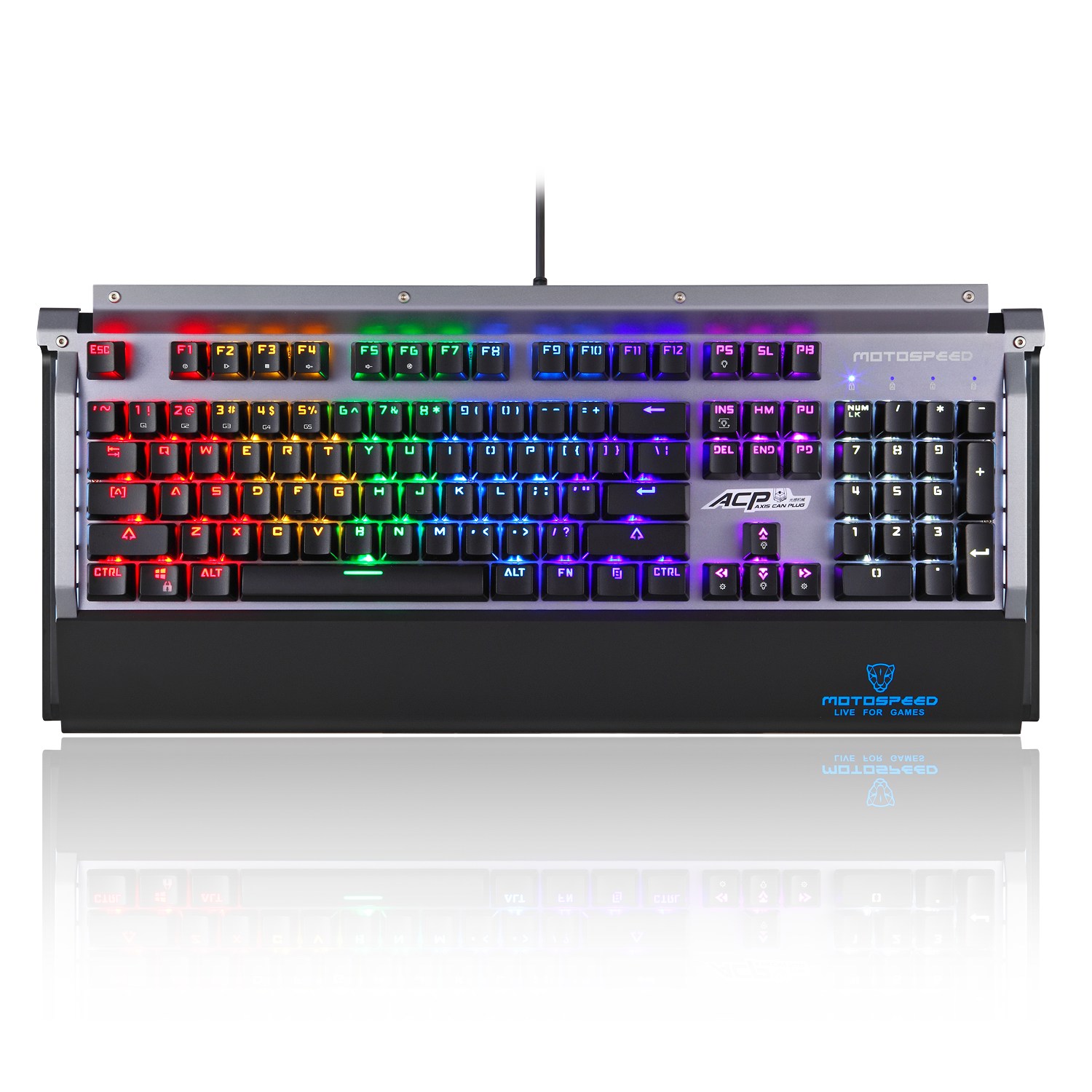
CK98 RAINBOW MECHANICAL KEYBOARD SWITCH QUANG HỌC NEW VERSION ( ICAFE)
1,250,000₫
- ZEUS Optical switch, Waterproof
- USB interface
- all keys non-conflict
- 104 keys, double injection keys
- Multimedia function key combination
- Lock the WIN key function: Fn+F12 key combination
- Rainbow Backlit
Quantity:
Free shipping
7 Days Return
12 Month Warranty
24/7 Support
Key Features
Engineered for gamers who demand the best performance and customization
Mechanical Blue Switches
Tactile and clicky switches designed for precise keystrokes and ultimate gaming performance.
RGB Lighting
Full spectrum RGB backlighting with multiple lighting effects. Customize your setup to match your style.
N-Key Rollover
Full anti-ghosting ensures every keystroke is registered, even in intense gaming moments.
Built to Last
70 million keystrokes durability with reinforced frame and double-shot keycaps for lasting performance.
Software Control
Dedicated software for macro programming, lighting customization, and profile management.
Ultra Fast Response
1000Hz polling rate for firm responsive time. Experience zero-lag gaming performance.
Technical Specifications
Built with premium materials and precision engineering
Switch Type
Mechanical Blue Switch
Actuation Force
55 ± 5g
Actuation Distance
2.0 ± 0.2mm
Total Travel
3.6 ± 0.3mm
Number of Keys
104
Durability
70 Million Keystrokes
Connection
USB 2.0 / USB-C
Cable Length
1.8m Braided
Dimensions
440 x 125 x 35mm
Weight
850g
Compatibility
Windows / macOS / Linux
Backlight
RGB 16.8M Colors
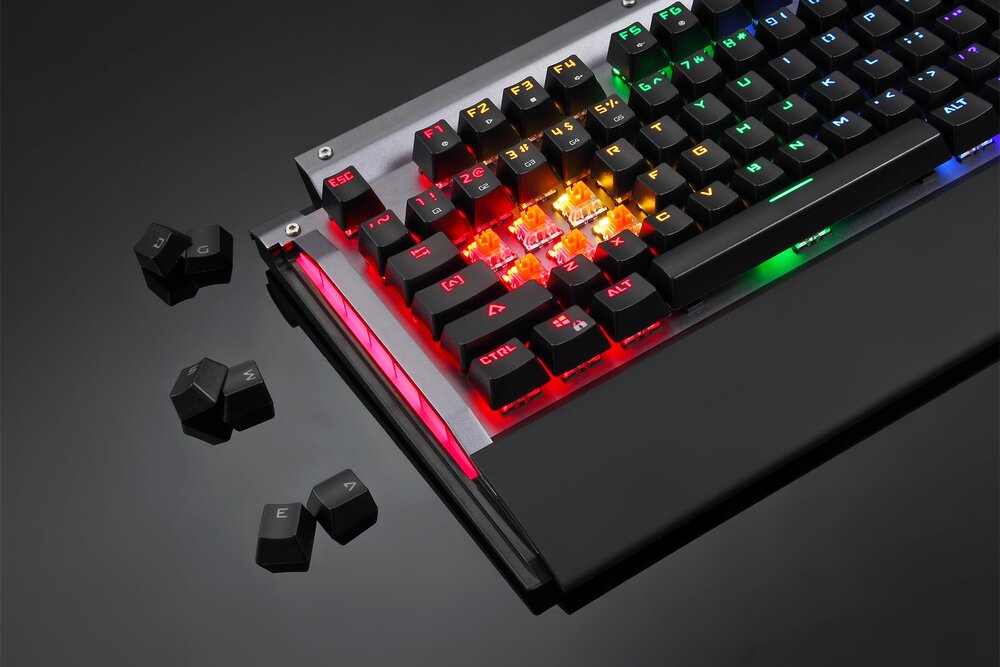
Premium RGB lighting with per-key customization
In The Box
Everything you need to get started
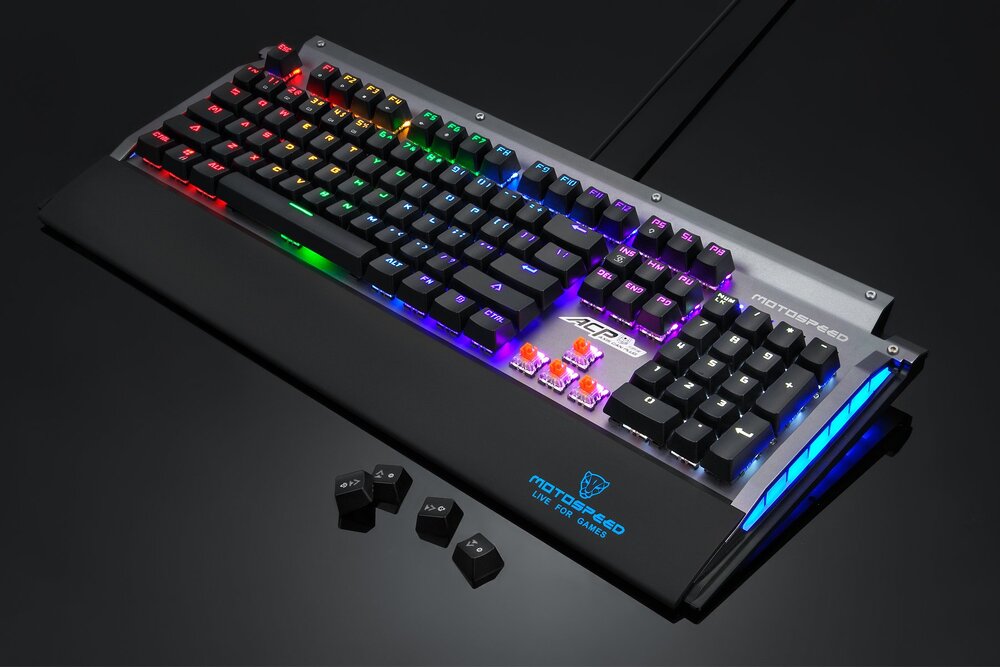
Package Contents
- 1x Mechanical Keyboard
- 1x Detachable USB-C Cable (1.8m)
- 1x Keycap Puller Tool
- 1x Quick Start Guide
- 1x Warranty Card
Product Description
Specification:
1. Brand: Motospeed
2. Model: CK98
3. Item: NKRO LED RAINBOW Mechanical Keyboard
4. Material: ABS / Aluminium alloy
5. Color: Black
6. Switch: ZEUS OPTICAL
7. Connection: Wired
8. Interface: USB
9. Keys amount: 104 Key
10. Operating life: 5 billion click life
11. Cable Length: 1.5m
12. Dimension: 475mm(L)* 211mm(W)* 39.5mm(H)(with wrist pad)
13. Current: ≤500mA
14. Voltage: +5V ± 50%
Light effects mode switching order (cycle):
-Press FN + PS to enter "Always On"
The overall backlight of the keyboard is always bright, the fifth gear brightness adjustment. FN1/1 five brightness adjustment -Press again to enter the "breathing mode"
The overall backlight of the keyboard simulates the breathing rhythm and
changes from the curve to the highest brightness. Brightness and breathing
speed can be adjusted FN+/- five speed adjustment
Keyboard parameters
Key life: 50 million Current: 500mA Weight: 1159g+20g
Working Voltage:+5V±5% Dimension: 475x212x40mm
Function Description:
- The keyboard can run on Win ME, Win2000, Win XP, Vista, Win7, Win8,
win 10 and other operating systems. 2. Support common game mode button backlight light mode adjustment. Standard Edition: FN+ 1 to 5 keys for the fixed game mode, the key light corresponding to the five game mode corresponding to the LED
- Support seven LED lighting effects Bright mode, breathing mode, single point light, that is, that is off, ripples, cross meteor, streamer floating 4. Support all modes, FN+/-5 primary key area LED speed adjustment, support FN+"/15 primary key area LED brightness
CK98 BACKLIGHT MECHANICAL KEYBOARD
adjustment (including no light) 5. Support 6 key/N key mode automatically switch, online banking password entry is not affected.
- Support lock WIN function and LED light effect instructions, while locking
WIN and lock APP key, Win Lock light instructions, unlock, Win Lock off
Game mode settings:
The following game lighting mode can be entered directly by key combination
ESC, 1, 2, 3, 4, 5, 6, 7, Q. W. E. R. P. A, S, D, F, B. SPACE FN+ large keypad 2 = game mode 2
W.A. S. D. 1.2 FN+ large key area 4 game mode 4
FN+ large keypad 1 = game mode 1 ESC, W, A. S. D. L_SHIFT, L_CTRL, SPACE FN+ large keypad 3 = game mode 3 Q. W, E, R, T, Y, U, I, O, P. LJ.A, S, D, F, G, H, J, K, L, Z, X, C. V. ESC,F1,1,2,BACKSPACE, TAB.Q.W,E,R,T,Y,O,P,A,S,D,F,H,ENTER_L L_SHIFT,Z,X,C,V,M,L_CTRL,SPACE
B, N, M...../ FN+ large keypad 5= game mode 5
Other key combinations are defined
FN+F1 Multimedia
FN+ F2Play/Pause
FN+F3= stop
FN+F4 volume plus
FN+F5 Volume down FN+F6 Mute
Keyboard does not work and troubleshoot:
1 .Check that the USB cable is properly connected to the computer. 2 Try connecting the keyboard to another USB port on your computer. 3 Try turning the computer back on. 4 if you still can not work, try connecting the keyboard to another computer.
The above picture is for reference only, please in kind as the standard
-Press again to enter "single point light" (press with light)
Backlight off, by default, each time the button is pressed, random light a backlight color,When the button is released, the backlight of the key is extinguished FN+"17" five-level brightness adjustment, FN+"/"five speed adjustment
-Press again to enter the "point that is off" (with the press with the off) Backlit full light, by default, each time the button is pressed, the backlight LED off When the button is released, the backlight of the key lights up FN+"/"five-level brightness adjustment, FN+"/"five speed adjustment
-Press again to enter the "ripple"
Keyboard backlight brightness to press the button as the center, to the four waves of scattered waves, as the water wavesLin constantly surging. FN+1/1 five-level brightness adjustment, FN+/- five speed adjustment
-Press again to enter the "staggered meteor" Each row of LEDs on the keyboard is left one by one to the left or right, and the tail is turned back to the end.As if meteor staggered FN+/five speed adjustment
Press again to enter the "streamer floating" The backlight of the keyboard flows from left to right to the right, like a
passing water FN+/five speed adjustment
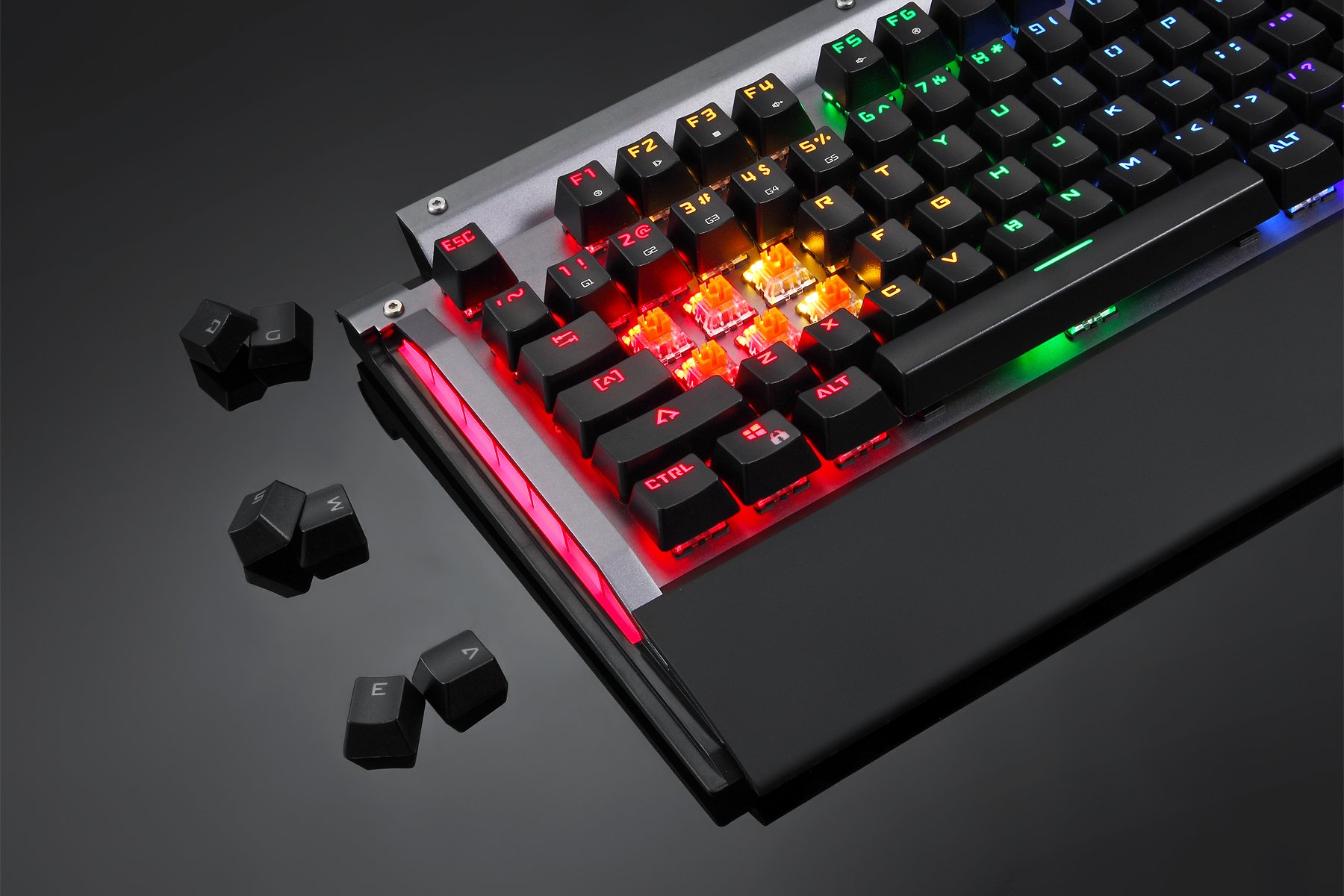
Related Products
Complete your setup with these recommended gears

_05122025032615.jpg)
_01112025090037.jpg)

_230820250848331.jpg)
_06022025020948.png)



Miễn phí vận chuyển
Đơn hàng từ 500.000đ
Bảo hành chính hãng
12-24 tháng
Đổi trả dễ dàng
Trong vòng 7 ngày
Hỗ trợ 24/7
Tư vấn miễn phí